What an AI scene partner actually does
“AI scene partner” can mean anything from a robotic text reader to a promise of a virtual co-star. This page describes exactly what the one in MasteringTheatre does, feature by feature, including its limits, so you can decide whether it belongs in your rehearsal routine.
The short version
An AI scene partner is a rehearsal tool that gives you the cue out loud, listens to your line, and tells you how close to the text you were. It replaces the friend who reads the other part when that friend is asleep, not the director, and not the actor opposite you on opening night.
What it does, step by step
1. It reads the script you give it
You import a scene as pasted text, a PDF or text file, or a photo of the printed page (photo import with text recognition is a Pro feature; on the free plan a single import is limited to 5,000 characters). Built-in sample scenes exist in every supported language if you just want to try. The app detects the characters, you select a passage in two taps and pick the role you play.
2. It speaks every role you do not play
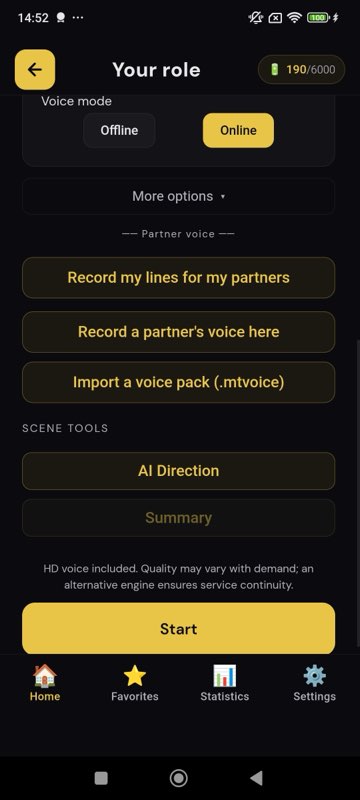
Each other character gets a voice: the phone's built-in voices on the free plan, HD cloud voices on Pro, and on Premium a generative voice that receives a short written acting instruction from the server for the line. You choose a female or male voice per character and the reading speed (0.8× to 1.2× free, 0.5× to 2× on Pro). You do not choose the partner's emotion; there is no “play it angrier” slider. The partner reads. You act.
3. It waits, then listens
When it is your turn, on-device speech recognition transcribes what you say. Nothing leaves the phone for that step. In step-by-step mode (all plans) you tap “Validate” when you have finished the line. In fluid mode (Pro and Premium) a silence of your chosen length, from half a second to ten seconds, validates the line automatically, so a whole scene can run without touching the screen.
4. It scores the line
Each line gets a percentage: 90 % and above green, 70 to 89 % gold, below 70 % red. The comparison is phonetic and forgiving by design: homophones always count as correct, and on the default lenient setting close-sounding words pass. On Pro you can move the strictness to normal or strict, which refuses close-sounding substitutions. The score is about the words. It is not a rating of your performance.
5. It reviews the scene afterwards
During the scene, the app never corrects you out loud and never interrupts. At the end, the review lists every line with the words you missed or changed highlighted, and keeps the session in your history. Across sessions, an AI coach (Pro) comments on milestones: first time above 90 %, a weak line finally conquered, a personal best.
6. It can give acting notes, if you ask
Separately from scoring, the AI direction feature (Pro) analyses the scene and writes a note per line: intention, subtext, tone, one to three words to stress, a physical or rhythm suggestion. These are suggestions to argue with, not stage directions to obey. They are not stored beyond the session.
What it does not do
- It does not film you. MasteringTheatre is a rehearsal partner, not a self-tape recorder.
- It does not react to your acting. The partner has no emotion setting and does not change its reading because you cried.
- It does not correct you live. Feedback comes after the line (score) and after the scene (review), never in the middle.
- It does not play the whole scene for you as an audio book; the point is the gap where your line goes.
- It does not replace a teacher or a director. It gets the text out of the way so that their time goes into the acting.
Where a real voice beats a synthetic one
If you always work with the same partner, ask them to record their lines once, line by line, into a voice pack. The app then uses their real voice as your cue when they are absent, and still listens and scores you. Voice packs stay on the device and can be shared as a file with the rest of the cast. Recording is free on every plan; rehearsing with a pack requires Pro.
What it costs
| Plan | What you get | Price |
|---|---|---|
| Free | Step-by-step rehearsal, system voices, scores and review, memorisation level 1, sample scenes, imports up to 5,000 characters | 0 € |
| Pro | Fluid mode, HD voices, prompter, strictness setting, photo import, AI direction and coaching, voice packs, all memorisation levels, generated audition monologues | 2.99 €/month |
| Premium | Everything in Pro plus the generative voice with acting instructions, job-interview simulation, larger history | 4.99 €/month |
Rehearsing with system voices is unlimited on every plan; only AI features and cloud voices consume the daily energy credits.
Questions people ask before installing
Is my script sent to a server?
Speech recognition and scoring run on the phone. Text is sent only for the features that need a model: HD or generative voices, AI direction, coaching, photo text recognition. There are no ads and no advertising identifiers.
Can it handle a scene with five characters?
Yes. Every character you do not play is voiced; you choose a voice gender for each.
Does the partner wait if I dry?
In step-by-step mode it waits until you tap Validate. In fluid mode it waits for a silence of the length you set. The prompter (Pro) can show the first words of your line after 3 to 15 seconds.
What accents and languages does it understand?
Recognition is per language: 11 languages on Android, 6 on iOS, with English UK and English US as separate options.
Is there a version for teachers?
The same app is used for homework scenes; there is no separate classroom edition. The “Create your scene” feature can generate an original scene (up to three characters on Pro, six on Premium) and export a PDF per role.
Import one page. Run one line. See a % score.
Free plan, no card. Android (11 languages) and iOS (6 languages). Pro 2.99 €/month, Premium 4.99 €/month.
Get the app →This page is written from the app as it is today (September 2026). A score measures text accuracy, not talent. Published 2026-09-14.