Choosing a line learner app: eight questions to ask first
Apps that “help you learn lines” fall into three families: recorders where you record the other parts yourself, readers that speak them with a synthetic voice and pause for you, and partners that also listen to what you say and count it. The right one depends on what actually goes wrong for you. These eight questions sort it out. The answers for MasteringTheatre are given plainly, limits included.
1. Who gives the cue, and how?
A recorder needs you to voice every other role first, which takes as long as the scene and fixes the pauses. A reader speaks the other roles from the text, instantly. A partner does that too and, ideally, lets a real person record their lines once for you.
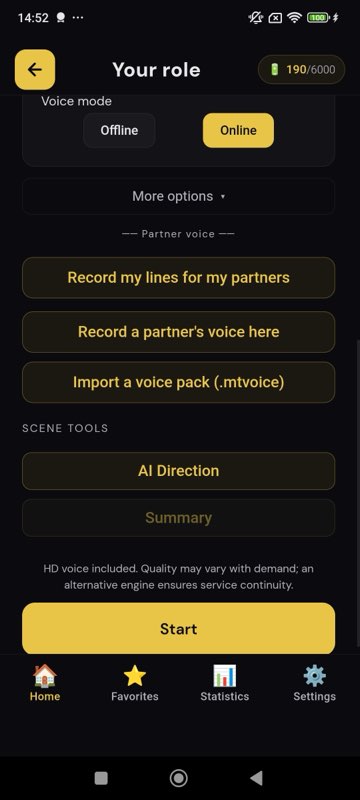
MasteringTheatre: speaks every role you do not play from the imported text (phone voices free, HD cloud voices Pro, a generative voice with a written acting instruction on Premium). A partner can also record their lines once into a voice pack that plays as your cue; recording is free, using a pack in rehearsal needs Pro.
2. Does it listen to you?
This is the dividing line. A reader pauses for a fixed time and moves on whether you said the line or not. A partner transcribes what you said and compares it with the text.
MasteringTheatre: on-device speech recognition transcribes each line; you get a score per line (≥ 90 % green, ≥ 70 % gold, below red) and a review at the end with missed and changed words highlighted. Free step-by-step mode: you tap Validate after each line. Fluid mode (Pro): a silence you set validates it.
3. What does the score measure?
Ask this before trusting any number. A percentage of matching words says nothing about acting; it says whether you said the text.
MasteringTheatre: text accuracy only, computed on the phone, forgiving of homophones and, by default, of near-misses; Pro can set it to normal or strict. It is not a rating of the performance. Acting notes exist separately (AI direction, Pro: a written note per line) and are suggestions, not scores.
4. How does the script get in?
Retyping a scene is where many apps lose you on day one.
MasteringTheatre: paste text, open a PDF or text file (text extracted on the phone), or photograph up to six pages with text recognition (Pro). The free plan takes up to 5,000 characters per import. Sample scenes are built in for every language. Characters are detected; you pick a passage in two taps.
5. What happens when you dry?
A fixed pause moves on without you. A partner should wait, and offer a nudge, not the page.
MasteringTheatre: in step-by-step mode it waits until you validate; in fluid mode it waits for your silence setting (0.5 to 10 seconds). The prompter (Pro) shows the first words of your line after 3 to 15 seconds. You can hide your lines and hold a button to peek.
6. Does it help you memorise, or only rehearse?
Rehearsal tests what you know; memorisation builds it. They are different tools.
MasteringTheatre: a memorisation mode masks 20 %, 50 % then 80 % of your words (meaningful words first, same mask on every rerun) with the other roles visible as context; level 1 is free, levels 2-3 Pro, no credits used.
7. What does it cost, really?
Read the plan table, and check whether the core loop is free or a trial.
| Plan | Included | Price |
|---|---|---|
| Free | Step-by-step rehearsal, system voices, scores and review, memorisation level 1, sample scenes, imports up to 5,000 characters, 3 favourites | 0 €, no card |
| Pro | Fluid mode, HD voices, prompter, strictness, photo import, AI direction and coaching, voice packs, memorisation levels 2-3, generated audition monologues, diction exercises, generated scenes (up to 3 characters) | 2.99 €/month |
| Premium | Everything in Pro, generative voice with acting instructions, scenes up to 6 characters with pedagogical tools, full show for a class, job-interview simulation, larger history | 4.99 €/month |
Rehearsing with system voices is unlimited on every plan; only AI features and cloud voices draw on a daily energy allowance.
8. What does it refuse to do?
An honest app tells you. MasteringTheatre does not film you (it is not a self-tape recorder), does not interrupt or correct you out loud mid-scene, has no emotion setting for the partner, does not play the whole scene as an audio book, and does not judge acting. No ads, no advertising identifiers; the script is sent to a server only for AI features and cloud voices.
Which family do you need?
- You mostly need cues and have time to record: a recorder is fine.
- You need cues now, for many scenes: a reader.
- You keep drying on stage and do not know which words you change: a partner that listens and counts.
Whatever you install, use it to get the text out of the way. The rehearsal that matters still happens with people.
Questions before installing
Android or iOS?
Both. 11 languages on Android, 6 on iOS (French, English UK, English US, Spanish, German, Russian on iOS).
Is there a free trial of Pro?
The free plan is permanent, not a trial, and covers the rehearsal loop. Pro and Premium are monthly subscriptions, cancellable any time in the store settings.
Can two actors share one subscription?
No; subscriptions are per store account. Voice packs, though, can be shared as files between phones.
Does it work without internet?
Rehearsal with system voices, scoring and memorisation work offline once installed. HD voices, photo text recognition and AI features need the network.
Where do I ask a question?
contact@masteringtheatre.com, or the Help link at the bottom of this site.
Import one page. Run one line. See a % score.
Free plan, no card. Android (11 languages) and iOS (6 languages). Pro 2.99 €/month, Premium 4.99 €/month.
Get the app →This page is written from the app as it is today (September 2026). A score measures text accuracy, not talent. Published 2026-09-14.