Practising lines in another accent or language
Two different problems hide under “accent work”: running a scene in a language that is not yours, and running a scene in your language with a different accent. A rehearsal app helps a lot with the first, a little with the second, and this page says which is which.
Case 1 — The scene is in your second language
You are a French or Spanish or German actor cast in an English scene, or the reverse. The text is harder to hold because the cue is harder to hear and your own line is harder to retrieve when the words are not automatic. What helps is exactly what helps in your first language, done more slowly: cues spoken out loud, lines hidden, a score per line, a review of what you changed.
MasteringTheatre works per language: you set the app's language to the language of the scene (11 on Android: French, English UK, English US, Spanish, German, Portuguese, Italian, Dutch, Polish, Russian, Turkish; 6 on iOS: French, English UK, English US, Spanish, German, Russian). The other roles are spoken in that language and on-device speech recognition listens in that language. Scores are ≥ 90 % green, ≥ 70 % gold, below red, and the end-of-session review highlights missed and changed words. A built-in sample scene exists in each language if you want to test the recognition on your voice before importing your own text.
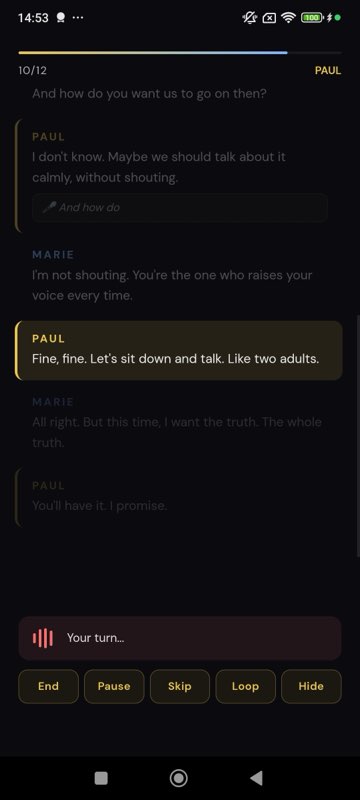
Method for a second-language scene
- Read it once with the cues spoken and the speed at 0.8×, your lines visible. You are matching sound to spelling.
- Blanks at 20 % then 50 % (memorisation mode; level 1 free, levels 2-3 Pro). Function words in a second language are the ones that go, and the mask hides meaningful words first, so the blanks train exactly the words you would drop.
- Hidden run at 0.8×, then at 1.0×. Red lines twice. Read the review: the changed words are often an article or a preposition, invisible to you, loud to a native listener.
- One run at 1.2×. If it survives, it will survive a fast partner.
Case 2 — Same language, different accent
You are British playing American, or American playing Irish. Here the honest limit: the app does not teach accents and does not judge them. Speech recognition is tolerant of accent by design, so an American line said with a British accent will still score on the words. What the app can do is keep the text secure while you change the sound, which matters because accent work is where lines fall apart: you are thinking about vowels and the words go.
Use English UK and English US as separate recognition languages (they are two options in the app) so that spellings and voices match the target; then work the accent with a dialect coach or recordings, and come back to the app to check that the words survived. If the review shows the same word changed run after run, it is usually a word whose target-accent pronunciation you have not yet fixed, and you are unconsciously swapping it.
What it does not do, plainly
- It does not score pronunciation or accent; it scores whether the words matched the text.
- It does not provide accent models or drills; the diction exercise (Pro) works consonant families in the app's language, generically.
- It does not translate scenes.
- Cloud HD voices (Pro) and the generative voice (Premium) speak the language you set; they do not imitate a regional accent on request.
Bilingual casts
A scene that switches language mid-way is best rehearsed as two passages, each with the app set to its language. Voice packs help here: a partner records their lines once in their own language and accent into a pack that plays as your cue (recording is free; rehearsing with a pack needs Pro). Nothing synthetic will give you a native cue as well as the native actor opposite you.
Accent and language questions
Will the recognition understand my accent in English?
Usually yes: it is tolerant of accent and scores on words. Test it on the built-in English sample scene before importing your text, and choose English UK or English US to match the spelling of your script.
Can I rehearse a scene in Portuguese or Italian on iPhone?
Not today: iOS has six languages (French, English UK, English US, Spanish, German, Russian). Android has eleven, including Portuguese, Italian, Dutch, Polish and Turkish.
Does strict scoring penalise a foreign accent?
Strict scoring (Pro) refuses close-sounding word substitutions. It is not an accent judge, but with a strong accent it can flag words the recognition heard differently; use normal scoring for accent-heavy work and read the review with that in mind.
Can the partner speak with a Scottish or Southern voice?
No. Voices are per language (UK or US English, for instance), not per regional accent. A voice pack recorded by a real partner is the way to get a specific accent as your cue.
Is switching the app's language free?
Yes, on every plan. Speech recognition models download once per language and then run on the device.
Import one page. Run one line. See a % score.
Free plan, no card. Android (11 languages) and iOS (6 languages). Pro 2.99 €/month, Premium 4.99 €/month.
Get the app →This page is written from the app as it is today (September 2026). A score measures text accuracy, not talent. Published 2026-09-14.